Achtergrond wcag
Why every finding in our audit reports starts with a user story
Atlassian puts end users first in agile development. We do the same in our accessibility reports — with one user story per finding.
Atlassian writes about user stories: “A user story puts end users first. After reading a user story, the team knows why it is building, what it is building, and what value it creates.”
We took that idea and asked: what happens if you apply it to an accessibility audit report? The answer turned out to be straightforward. The report becomes readable for everyone who has to act on it — not just the auditor who wrote it.
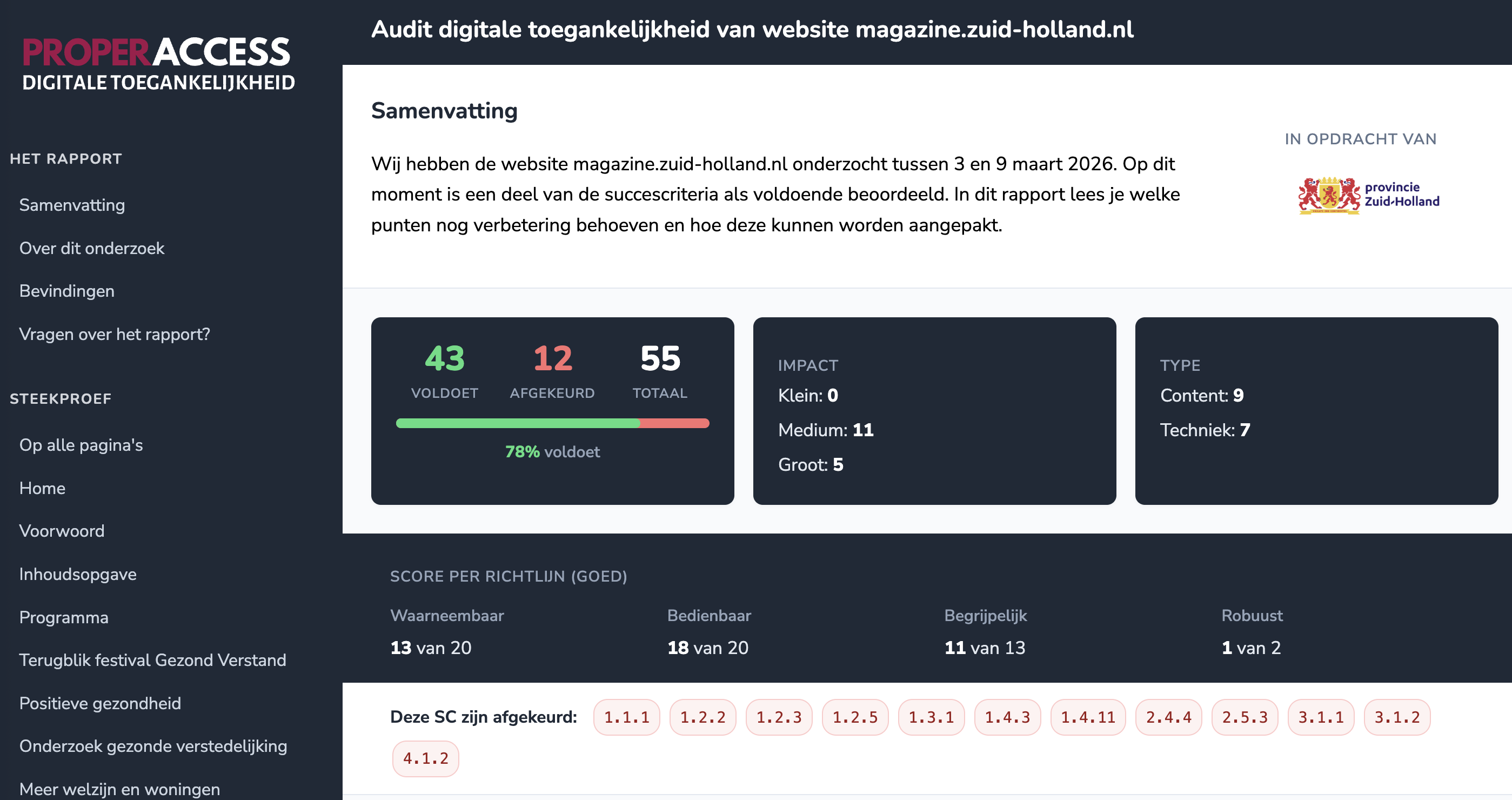
Where most reports get stuck
An accessibility report describes what is wrong with a website. That sounds simple, but the way you describe it determines whether the report gets used or quietly disappears into a folder.
Most reports describe findings in WCAG language: “SC 1.3.2 not met — meaningful sequence broken.” Technically correct. An auditor recognises it instantly. But an editor who has to rewrite the content, or a developer who has to change the markup, reads this and thinks: and now what?
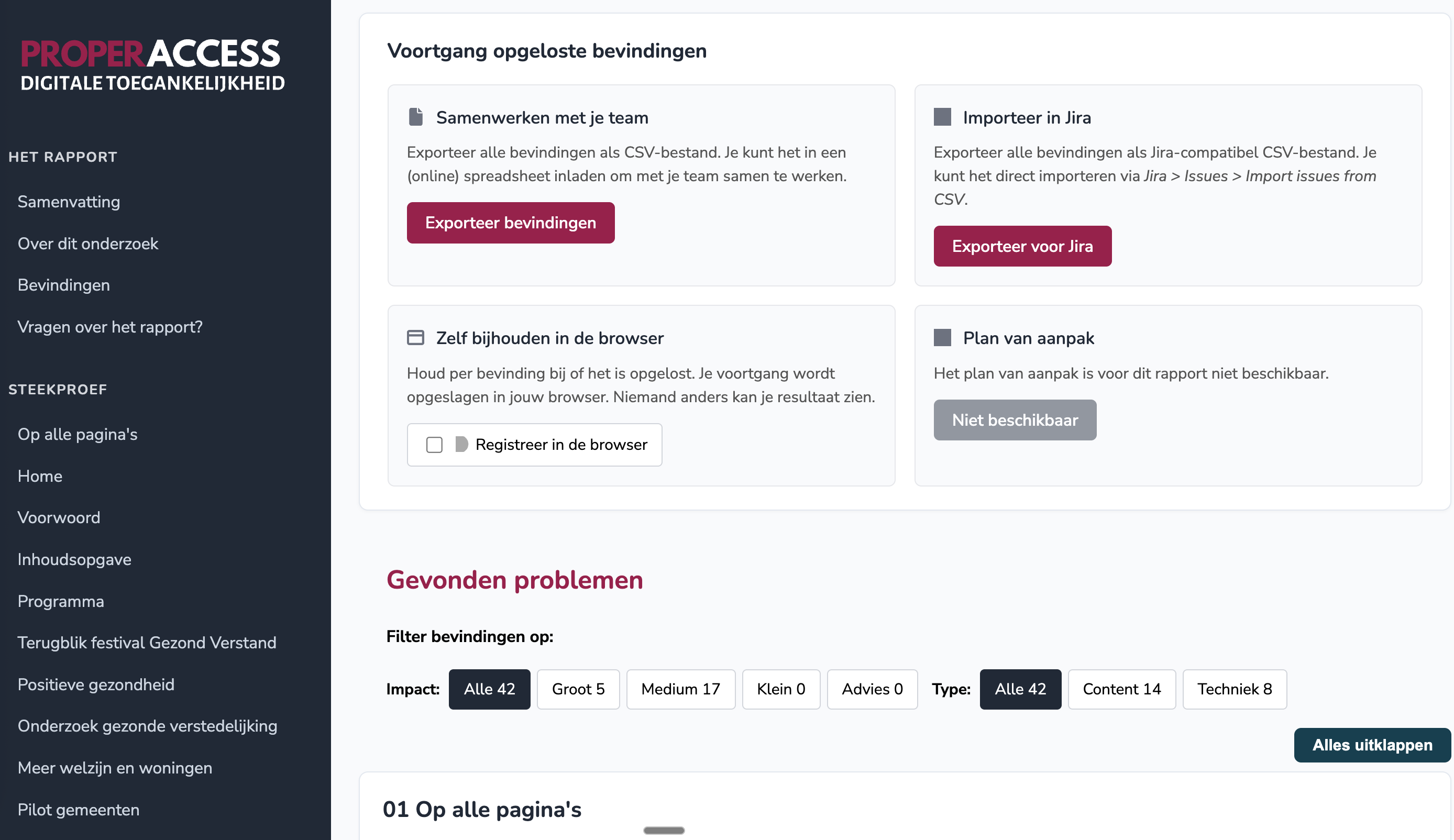
We solved part of this years ago by reporting per element instead of per success criterion. That way, the team at least knows where the problem is and what needs to change.
But one thing was still missing: why it matters.
The thinking behind user stories
In agile development teams, user stories are everyday practice. The idea is simple: instead of describing a feature in technical terms, you describe it from the perspective of the end user. Who are they, what do they want to do, and why?
Atlassian puts it like this: a user story makes sure everyone on the team understands why the work is being done. Not as a checklist, but as context. People first.
Accessibility reports are exactly the kind of document where that context is usually missing. A list of success criteria is not a story. A table of elements is a good start, but it still does not say what is happening on the other side of the screen.
That is why every finding in our reports now starts with a user story.
What our user stories look like
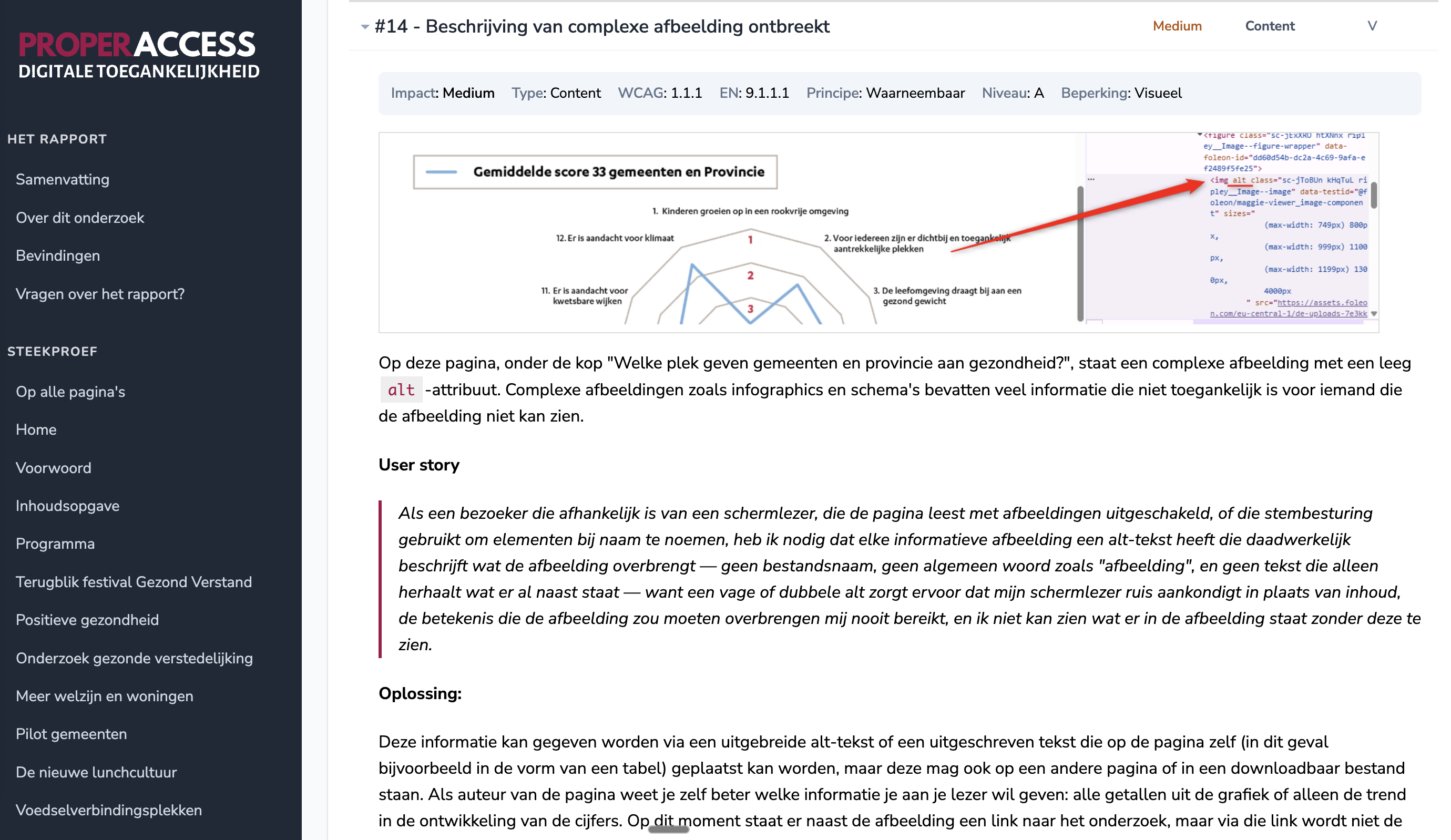
Our user stories are not written from the perspective of one person with one disability. They combine the different ways someone can run into the same issue — with a screen reader, with a keyboard, with a screen magnifier, with a need for predictable reading flow. One story, multiple ways in.
Here is an example from a recent report:
As a visitor who navigates with a screen reader, a keyboard, a screen magnifier, or who relies on a predictable reading flow, I need dynamically inserted content to appear in the DOM directly next to the element it relates to, because only then does the screen reader announce it in context, does keyboard focus reach it at the expected moment, does my magnified viewport still contain it, and does my attention stay connected to whatever triggered it.
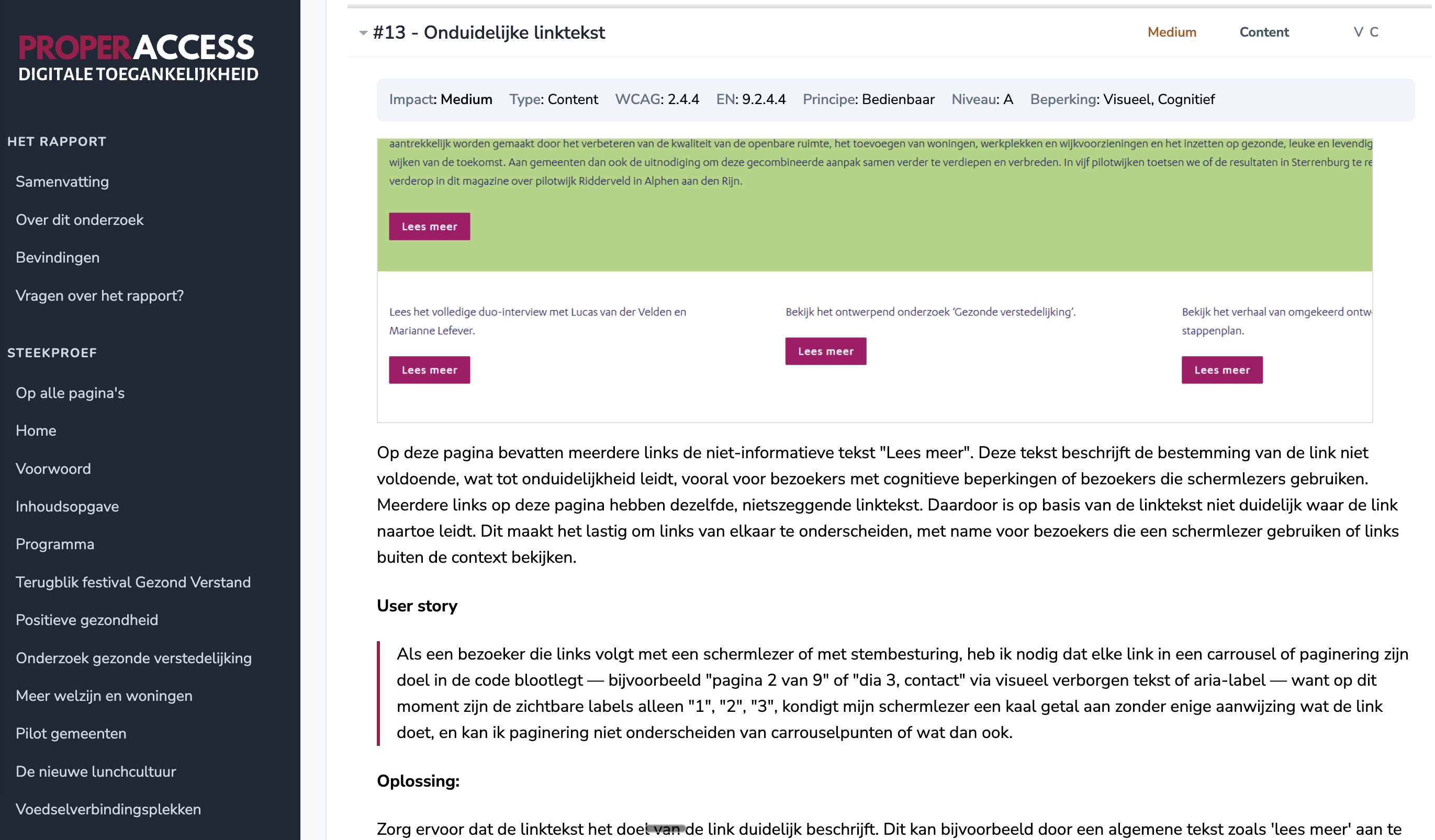
Below that comes the technical explanation: which element, which WCAG criterion, which code change. Plus a screenshot. The story comes first. On purpose.
What this changes
The developer or editor who works with the report no longer has to look up the WCAG guideline to understand why something matters. They do not have to do an empathy exercise to imagine who is affected. It is right there — including all the ways someone can encounter it.
We see three effects come back, again and again:
1. Prioritisation gets clearer. When you read that a finding affects screen reader users, keyboard users and magnifier users at the same time, “not critical” feels different from when you only see an SC number.
2. Fixes get better. A developer who understands why something is needed picks a better fix. Not the bare minimum, but the solution that actually removes the problem.
3. Knowledge sticks. A team that has read ten user stories starts to recognise the pattern by the eleventh. A team that has seen ten SC numbers stays dependent on the report.
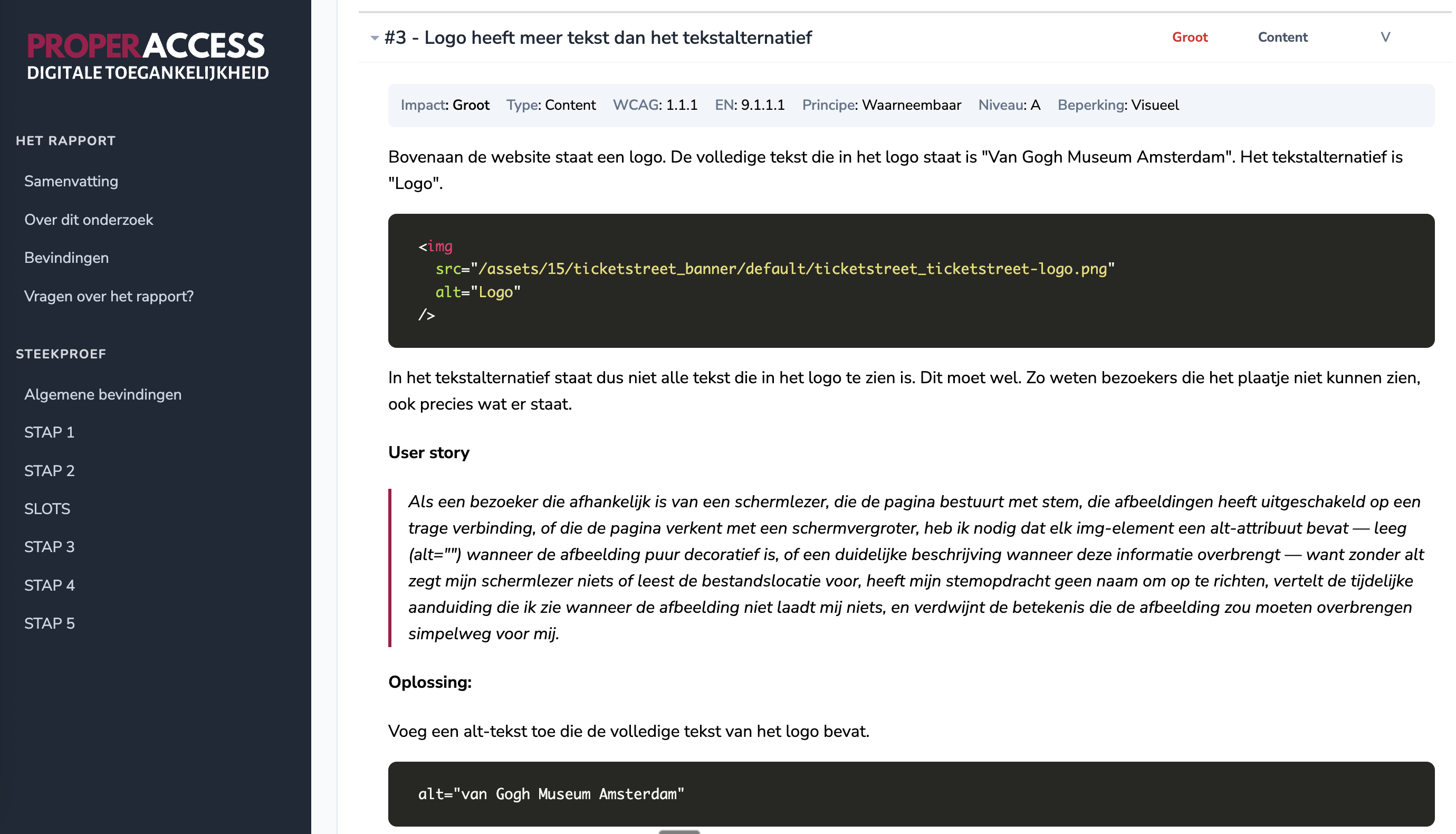
One story per finding, not one per success criterion
This is probably the most important detail. We do not write one user story per WCAG criterion, and we do not write one per persona. We write one per finding.
Because the same success criterion can be a major problem for screen reader users in one place and mostly an annoyance for keyboard users somewhere else. That difference disappears the moment you start grouping things. By writing per finding, the story stays exactly where it belongs: at that one element, on that one page, in that one context.
It costs us more writing time. We are honest about that. But this is what our work is — and it works.
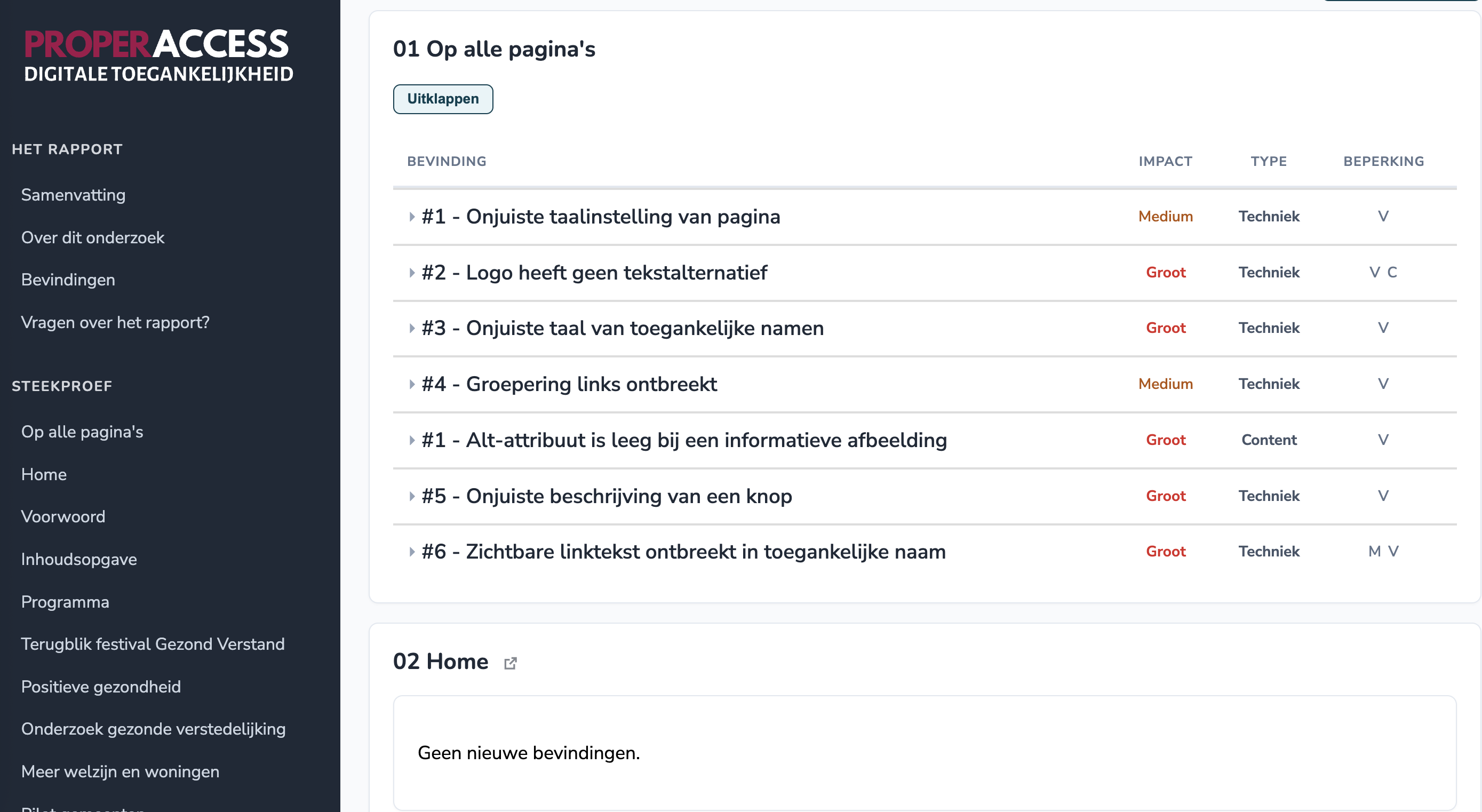
Want to see what such a report looks like?
We are happy to walk you through an anonymised example report in a 30-minute introductory call. You will get an immediate feel for what one user story per finding looks like, and what difference it makes to the team that has to act on it.
Schedule an introduction or write to us at [email protected].
Zelf verder met dit onderwerp
Bekijk je pagina met de WCAG Radar
Een bookmarklet en browserextensie die live laat zien of alt-teksten, koppen, contrast, focus en ARIA kloppen. 28 van de 45 checks zijn gratis.
Stel je vraag aan een auditor
Eén strip is één vraag over één onderwerp. Je hebt er geen audit voor nodig.
Laat je site onderzoeken
Een rapport per element, met screenshots en code-voorbeelden, zodat je team weet wat er moet gebeuren.
Related Posts
Can AI see that your text is too light?
Can AI see that your text is too light? Green on white. Orange on white. Light gray on white. It looks fresh. Colorful. Modern.

Can AI test your website for accessibility? I'm going to find out
Can AI test your website for accessibility? “Can’t ChatGPT just check my website?”
AI test: Can AI detect a div pretending to be a button?
Can AI detect a div pretending to be a button? A <div> with an onclick. Looks like a button. Does something when you click it. But press Tab and nothing happens. Enter? Nothing either.